Documentation
Learn how to use DiffractWD for powder diffraction analysis.
Quick Start
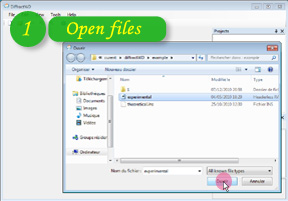
Step 1
Import your files
Import powder patterns and crystal structures. Supported formats: *.raw, *.rd, *.ard, *.cpi, *.dat, *.dbw, *.gsas, *.mdi, *.rig, *.udf, *.uxd, *.xda, *.xdd, *.xy, ShelX (*.ins, *.res), CIF (*.cif).
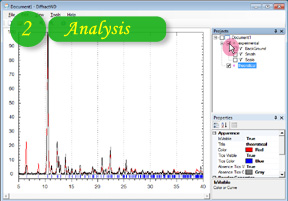
Step 2
Adjust visibility
Change visibility of patterns and perform all necessary comparisons between experimental and simulated data.
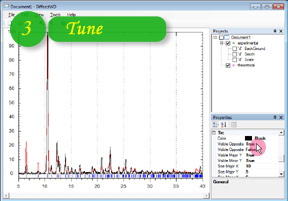
Step 3
Customize properties
Fine-tune 2-theta range, FWHM of profiles, and curve colors. Adjust grids, axis labels, and work area properties.
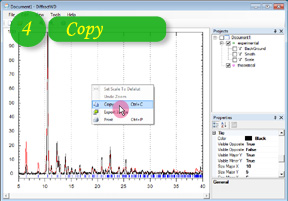
Step 4
Export your results
Copy the image to clipboard or export to WMF format for publication-quality figures.
Supported File Formats
| Category | Formats |
|---|---|
| Powder Patterns | RAW, RD, ARD, CPI, DAT, DBW, GSAS, MDI, RIG, UDF, UXD, XDA, XDD, XY |
| Crystal Structures | ShelX (INS, RES), CIF |
Capabilities
Multiple powder pattern and molecule import
Powder pattern simulation from single crystal data
Background subtraction, smoothing, and scaling
Customizable work area (grids, tics, axis labels)
Graph color and style customization
Image export to WMF format
Auto-update and error reporting
System Requirements
- •Windows XP, Vista, or Windows 7
- •Microsoft .NET Framework 2.0
Technical Details
- •Written in C# (object-oriented)
- •Built on SharpDevelop application core
- •Extensible through add-in system
- •MIT License
Included Modules
| Module | Purpose |
|---|---|
| ICSharpCode.Core | Application core framework |
| ICSharpCode.AddInManager | Add-in management |
| ICSharpCode.SharpZipLib | Archive support |
| log4net | Logging |
| PowDLL | Powder pattern import |
| WeifenLuo.WinFormsUI.Docking | Window docking |
| ZedGraph | Graph rendering |